Your Library
Everything you have made, in one place: find it, reuse it, and see how it was made.
Open Library from the sidebar (or go to /library). Everything you generate lands here on its own, whether it came from a chat, a station, a film or a YouTube production, and everything you made before the Library existed is already here with its original date. Nothing in it is public.
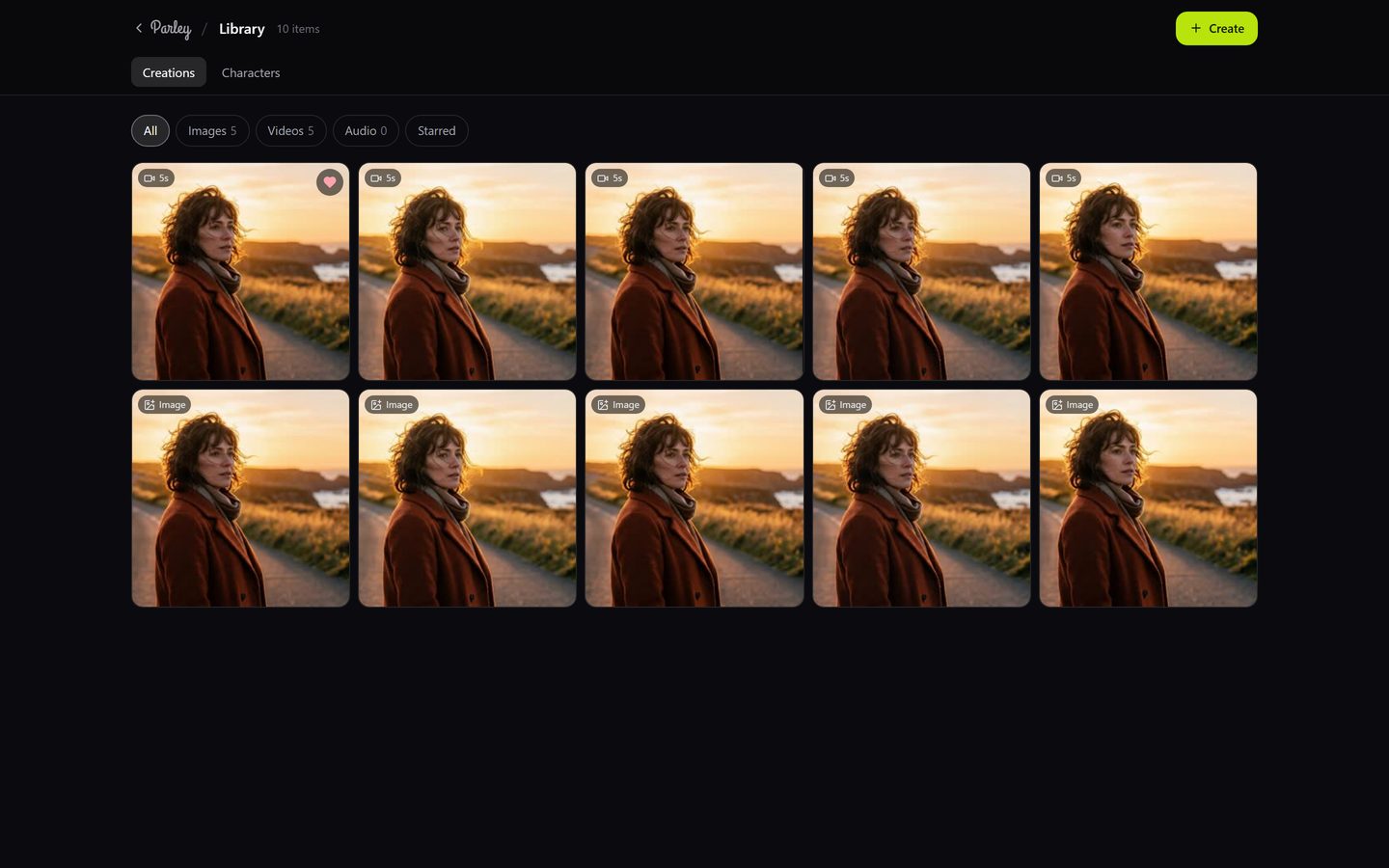
Finding things
- Filter with the pills at the top: All, Images, Videos, Audio, Starred. The counts update as you make more.
- Star anything with the heart on its tile so it shows under Starred.
- Hover a video tile to play it; open any tile for the full view.
- Newest first; scroll and press Load more for older work.
What an item shows
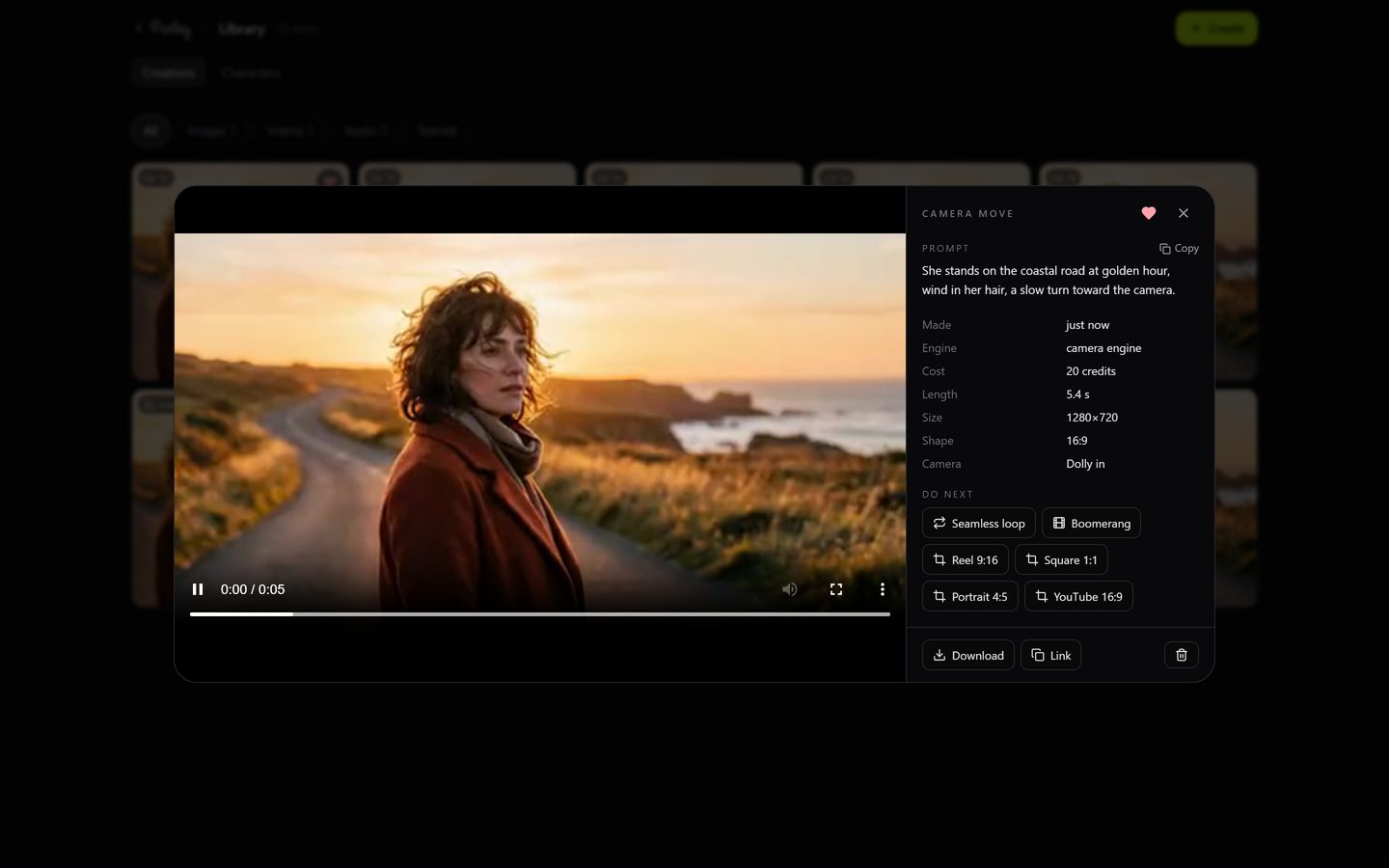
Open an item to see the picture or clip at full size next to its recipe: the prompt (copy it in one click), when it was made, the engine, the cost, the length or size, the shape, and the camera move if there was one.
What you can do next
| Action | What happens |
|---|---|
| Animate | Opens the Video station with this image as the still. |
| Use as reference | Opens the Image station with this image as the source, for a restyle, a variant or an edit. |
| Set as avatar | Makes this image your avatar for the talking-avatar and ad stations. |
| Seamless loop / Boomerang | Turns a clip into a loop, free. The loop lands in your chat and in the Library. |
| Resize for a platform | Reframes a clip to Reel 9:16, Square, Portrait 4:5 or YouTube 16:9, free, without re-generating it. |
| Download / Link | Saves the file, or copies its address to paste anywhere. |
| Hide | Removes it from the Library. It stays in the chat where it was made. |
Recent, under the prompt
On an empty chat, a Recent row under the prompt shows the last few things you made. It opens the same full view with the same actions, and it disappears when there is nothing to show.