Making a video
Turn a prompt or a still image into a clip, and pick the right video model.
Open the Video tab, describe the shot, and generate. You can start from text alone or from an image you upload — image-to-video animates a still while keeping its look.
The video models
| Model | Best for |
|---|---|
| Seedance 2.0 | Cinematic text-to-video with coherent action, automatic multi-shot camera work, native audio, and 4K. |
| Seedance 2.0 Fast | Quicker, cheaper drafts and short-form social clips — vertical 9:16 out of the box. |
| Vidu Q3 | Image-to-video with locked character identity and native lip-synced dialogue — animate a face and keep it on-model. |
| Kling 2.5 Turbo Pro | Faithful image animation that preserves your exact style — bring a still to life without redrawing it. |
| Hailuo 2.3 | Expressive image-to-video with native audio — strong motion realism and lively performance. |
Named camera moves
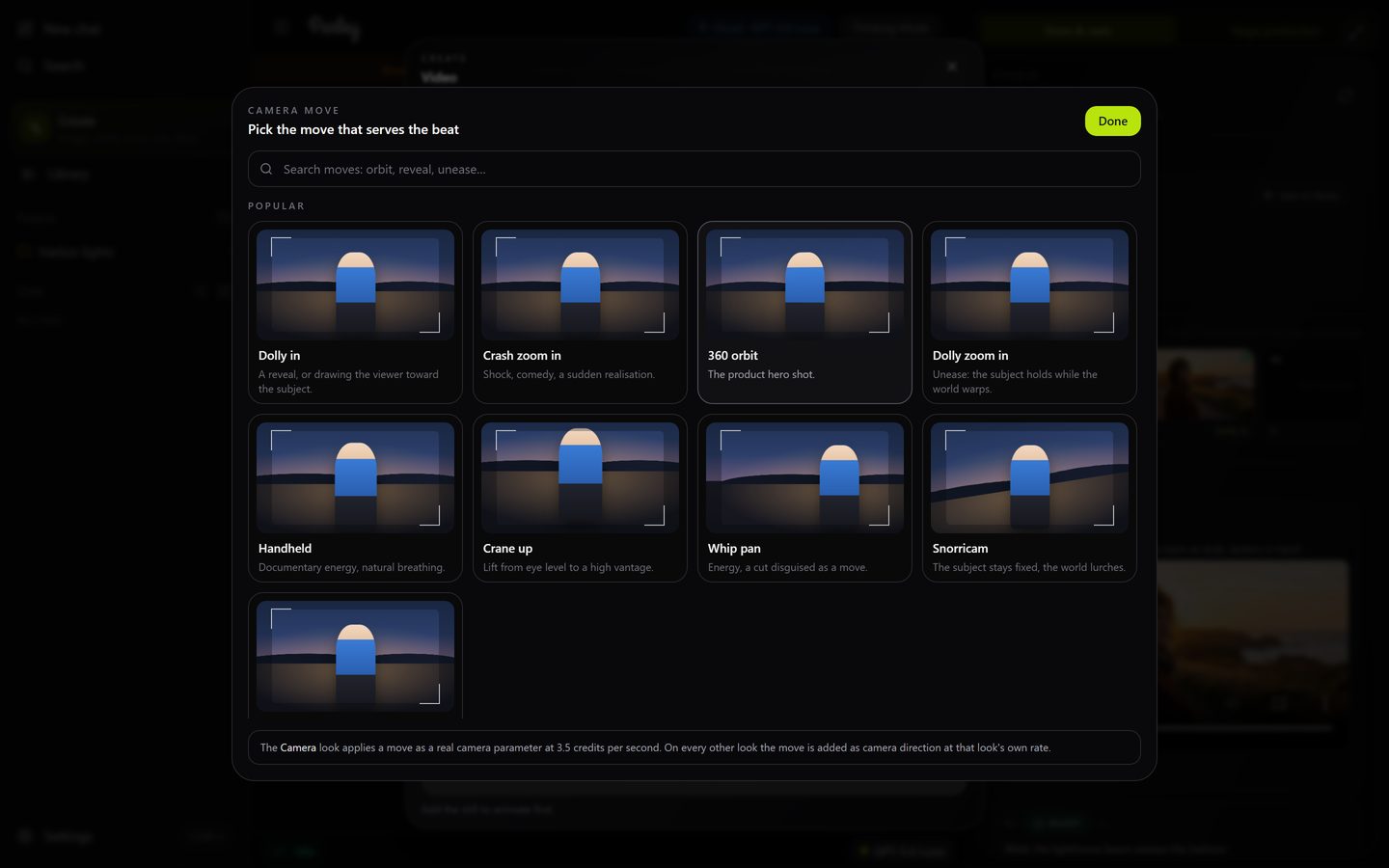
You can name the camera move instead of describing it. Say "dolly in", "360 orbit", "crash zoom in", "dolly zoom", "whip pan", "crane up", "handheld", "snorricam", "bullet time", "aerial pullback" or "static", and Parley applies that move to the clip. There are 41 presets; the agent knows the full list.
Pick a move from previews
In the Video station (Create → Video) and in a film's shot editor, choose Camera move to open the picker: every move is a card with a moving preview, grouped by what it does (push and pull, pan and tilt, crane and aerial, orbit and arc, rigs and handheld, time and lens). Hover a card to see the move, search by feel ("reveal", "unease", "product"), and pick up to three. The most-used moves play a real rendered clip on hover; the others show a drawn preview.
Animate this still: steam rises from the cup and a hand lifts it. Camera move: slow dolly in.- Reveals: dolly in, hero cam, crane down, through object in.
- Shock and energy: crash zoom in, whip pan, snorricam, handheld.
- Product hero shots: 360 orbit, arc left or right, 3D rotation.
- Scale and place: aerial pullback, crane up, FPV drone, hyperlapse.
- Unease: Dutch angle, dolly zoom in.
- Let the performance carry it: static.