The Studio: directing a film
Plan multiple shots, render them, and assemble them into a finished reel with dialogue and score.
The Studio is for work that’s bigger than a single clip. You break a scene into shots, render each one, and Parley assembles them into a continuous reel — with native lip-synced dialogue on character shots and a musical score ducked underneath.
Character shots stay on-model
Film and character shots render through Vidu Q3, which locks a character’s identity from a single reference so faces don’t drift between shots. Give each character one canonical reference image and Parley keeps them consistent across the whole reel.
Camera looks and moves
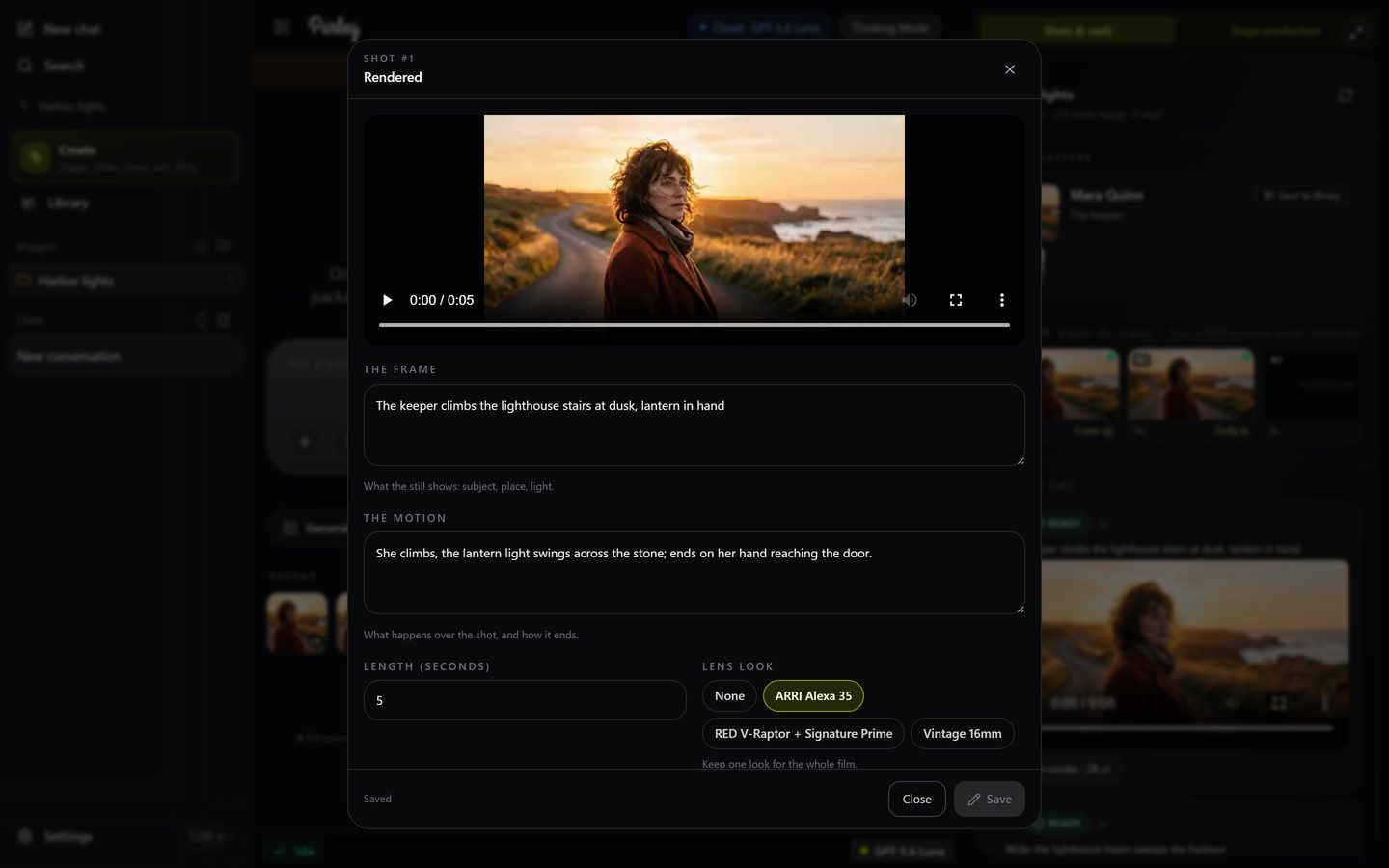
Every shot carries a camera setting with two parts. The lens look (RED V-Raptor with Signature Primes, ARRI Alexa 35, or vintage 16mm) is chosen once and kept on every shot so the film cuts together. The camera move is chosen per shot from the same 41 named presets the Video tab uses: a slow dolly in for a reveal, a crash zoom for a shock beat, static when the performance should carry it. Ask the director for a move by name and it lands on that shot.
Shot 4: keep the Alexa look, make it a slow dolly in on Maya as she reads the letter.The timeline: steer the film yourself
Above the shot list, the film shows as a strip of shots in playback order, each with its frame, length, status and camera move. The director defines the shots; the timeline is where you change your mind without a conversation.
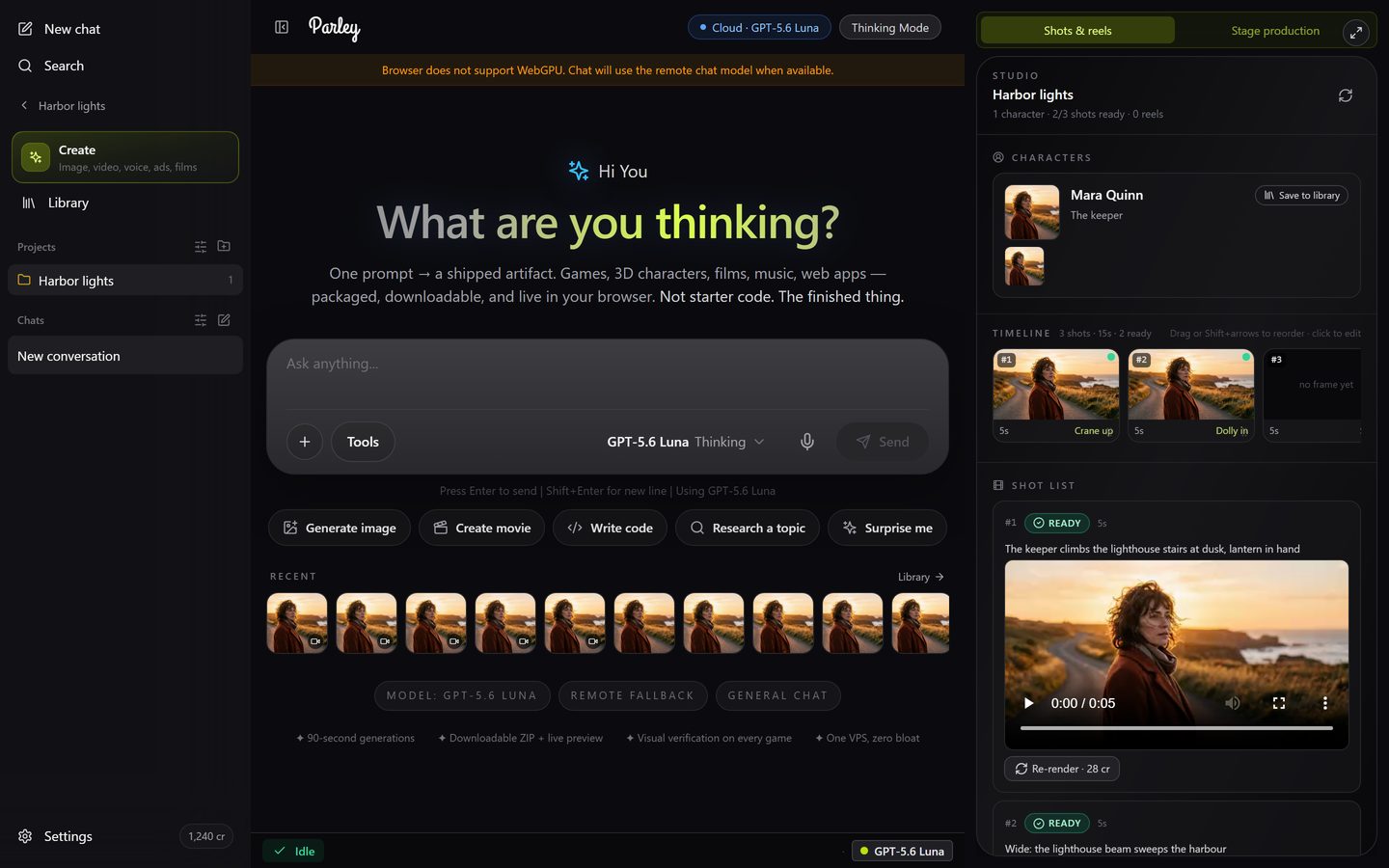
- Reorder: drag a shot to a new place, or use the small arrows on a card. The reel is assembled in the new order.
- Edit a shot: click its card to change the frame (what the still shows), the motion (what happens and how it ends), the length, the lens look and the camera move, then Save. Saving is free.
- Re-render one shot only: in the editor, New frame re-rolls the storyboard frame (3 credits); Frame + video re-renders both (3 credits plus 5 per second of the shot). The other shots are untouched.
- Add sound to a shot: for a rendered shot, describe the ambience ("rain on a tin roof") and Parley lays matching sound under it (about half a credit per second, minimum 3).
- Keep a character: on any character in the panel, Save to library keeps their reference sheet for other films and images. See Saved characters.
Need more room? The expand button in the corner of the panel gives the timeline most of the screen; the chat stays beside it as a narrow rail.